

Google Classroom released its beta version of the lockdown browser for Chromebooks. This secure mode prevents students from opening additional browser tabs during a quiz.
Teachers can enable this feature in the settings for the quiz. Simply check the box to turn on the locked mode.
When students access the quiz via Google Classroom, they will see this screen.
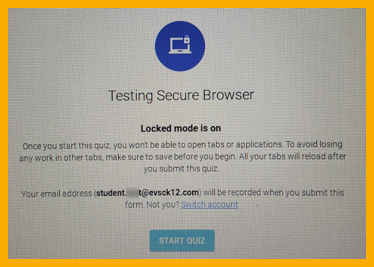
The locked mode helps minimize distractions.
Note *** It is possible for a student to close the quiz before completing the assessment. If they do, their answers will not be saved and the teacher will receive an email notification that the student exited the quiz and then reopened it.

