

Check out the new features Google recently added to Gmail’s right-click menu and Google Drive’s new and improved Intelligent Search box.
Gmail – Right-click Menu Options
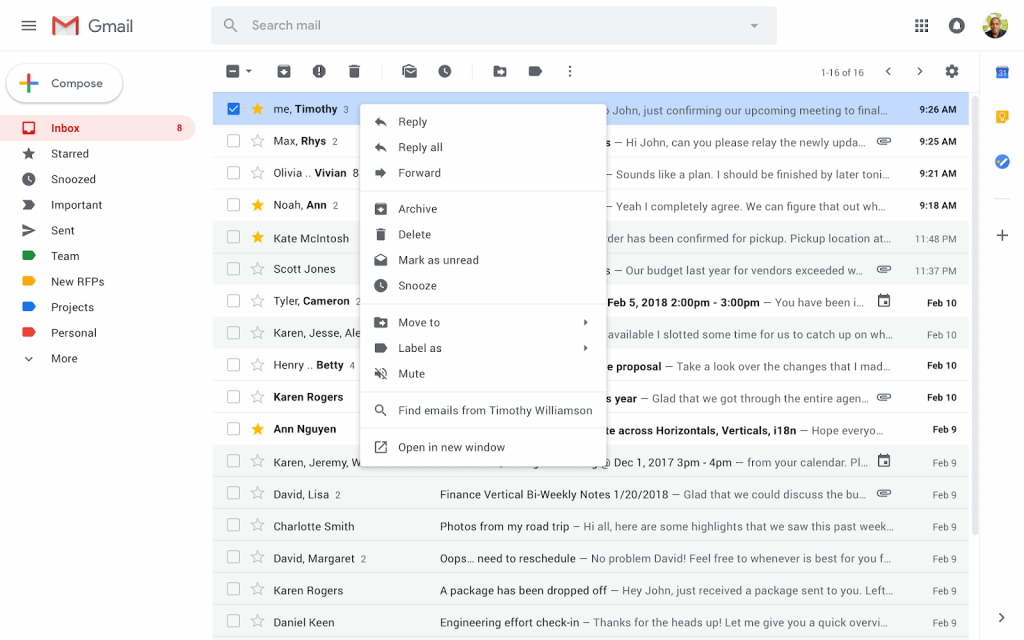
Google added more options to the right-click context menu in Gmail.
With these new options, you can take even more actions, directly from a message, in your inbox such as:
- Reply to, or forward, an email in one click from the main page
- Search for all emails from a sender
- Search for all emails with the same subject (if conversation view is turned off)
- Open multiple emails in multiple new windows at the same time
- Easily add a label or move an email
Google Drive – Intelligent Search
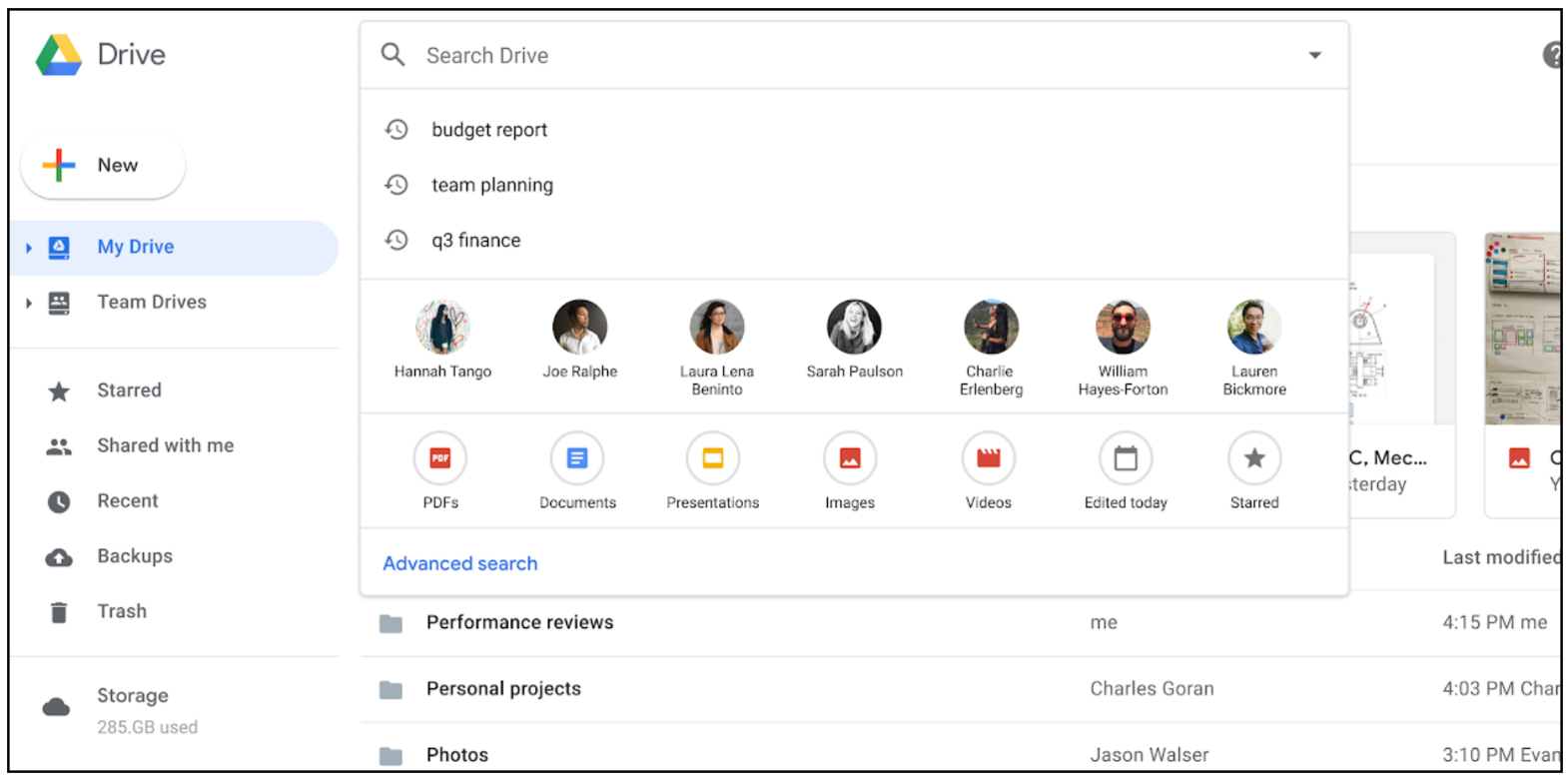
Google made improvements to the Google Drive search box on desktop available to all G Suite Editions.
Now, when you click in the search box you’ll see a range of options, including:
- Suggested search queries: Click on a term to search for it.
- Your top collaborators: Click on a person to search for files that you’ve collaborated with them on.
- File types, edit history, priority items, and more: Click to show files that match the highlighted criteria.
These filters will help you find and filter content more quickly and efficiently in Drive.

Questions / Comments
If you have a question or comment about this post, please leave it in the comment section below.

2 comments
A feature I really miss from my previous job is the ability to write an email and then put a date and time on it to be sent at that future date/time automatically.
Right now, the only way to achieve this is to use an add-on called Boomerang. You can send up to 10 emails a month for free or you can pay for unlimited.