


For security reasons, the Office of Technology will be checking the devices connected to EVSC-Staff and EVSC-Student and blocking any personal devices from using our Wi-Fi signals starting October 13th, 2021.
EVSC-Staff and EVSC-Student are for EVSC devices only. All personal devices for Staff and Students should be connecting to EVSC-Guest.
How to Connect to EVSC-Guest
- To connect your device to EVSC-Guest, open up the Wi-Fi Settings and select EVSC-Guest. That’s it!
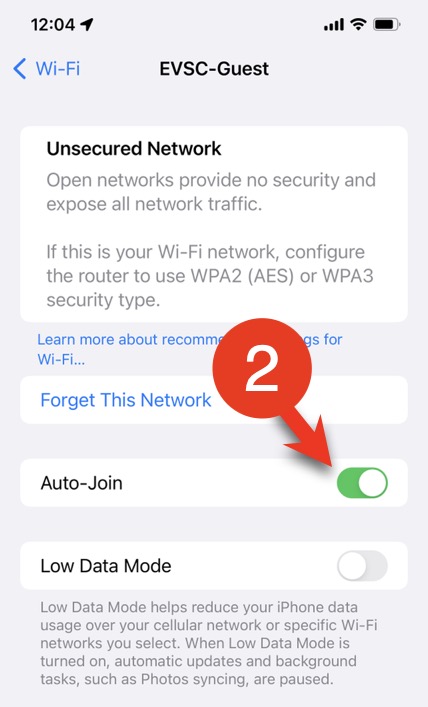
How to Make Sure Your Phone Automatically Connects
Go to your phones Wi-Fi settings and make sure that Auto-Join or Auto Connect is enabled for EVSC-Guest.

Need Tech Support?
If you’re having trouble connecting to EVSC-Guest, please fill out a Webdesk ticket by visiting the Technology Support page.
